Utah Fishing License Online Purchase Process
Oh, the sheer joy of planning a fishing trip in Utah! You've got your spot picked out, maybe thinking of chasing some tiger trout in Scofield Reservoir or trying your luck for walleye on Utah Lake. But then, the paperwork monster rears its head: the dreaded fishing license. It can feel like wading through murky waters just to figure out what you need and how to get it, especially if you're not a fan of long lines or confusing forms. This guide is here to untangle all that, giving you a clear, step-by-step walkthrough of the Utah fishing license online purchase process, making it as smooth as a perfectly cast line.
Why Going Online is the Smart Play for Your Utah Fishing License
Let's be real, in today's fast-paced world, who has time to track down a physical vendor during business hours, only to find out you forgot a piece of ID? The online option for buying your Utah fishing license has become a true game-changer for anglers, saving countless hours and a fair bit of frustration. While there are always a few quirks with any online system, the benefits far outweigh the minor inconveniences.
Convenience and Accessibility at Your Fingertips
Imagine it: You're sitting on your couch, coffee in hand, dreaming of that big catch. Instead of driving to a designated license agent, you can pull up the Utah Division of Wildlife Resources (DWR) website right from your computer, tablet, or even your smartphone. This accessibility means you can purchase your license anytime, anywhere, whether it's late at night after the kids are asleep or first thing in the morning before work. This flexibility is a huge bonus, especially if you have a busy schedule or live far from an approved vendor. For many, the ability to buy a Utah fishing license whenever the mood strikes to go fishing is invaluable. You can complete the entire process in a matter of minutes, leaving more time for actual fishing and less time stuck in administrative limbo. It’s particularly useful for those spur-of-the-moment weekend trips or if you suddenly realize your old license expired and you need to renew it fast.
Common Hiccups and How to Avoid Them
While the online system is generally smooth sailing, it's not without its potential snags. We've all been there: a website that’s slow to load, a form field that keeps rejecting your input, or a mysterious error message. One common frustration can be with account creation or login issues, especially if you haven't used the DWR system before or can't remember your old credentials. To avoid this, make sure you have a strong, memorable password, and perhaps jot it down somewhere safe. Another potential hiccup is ensuring all your personal information matches exactly what's on your ID; even a slight typo can cause verification delays. Sometimes, the DWR website might experience heavy traffic, particularly right before popular fishing seasons, which can slow things down. My advice? Don't wait until the last minute if you can help it. Also, having a stable internet connection is key. There's nothing worse than getting halfway through the process only for your Wi-Fi to drop out. And always, always double-check all your entries before hitting that final "purchase" button. It’s like checking your knots before you cast – a little precaution goes a long way!
Your Step-by-Step Journey Through the Online Purchase Platform
Ready to dive in? The online platform designed by the Utah DWR is pretty intuitive once you know where to click. It walks you through each stage, but having a roadmap beforehand can definitely ease any anxieties, especially for first-timers. Let’s break down the journey from landing on the website to confirming your purchase.
Navigating the Utah DWR Website
Your first port of call is the official Utah Division of Wildlife Resources website. You can usually find it with a quick search for "Utah DWR" or "Utah fishing license." Once you're on the homepage, look for a prominent link related to "Licenses" or "Buy a License." These are usually clearly marked and easy to spot. The DWR has put effort into making the site user-friendly, with clear categories and a search function if you're having trouble finding what you need. Take a moment to familiarize yourself with the layout; you'll often find a wealth of other useful information there, like current fishing reports, rules and regulations, and even links to guides on specific fish species. It’s more than just a place to buy a license; it’s a hub for all things Utah fishing.
Account Creation and Login: Your Angler ID
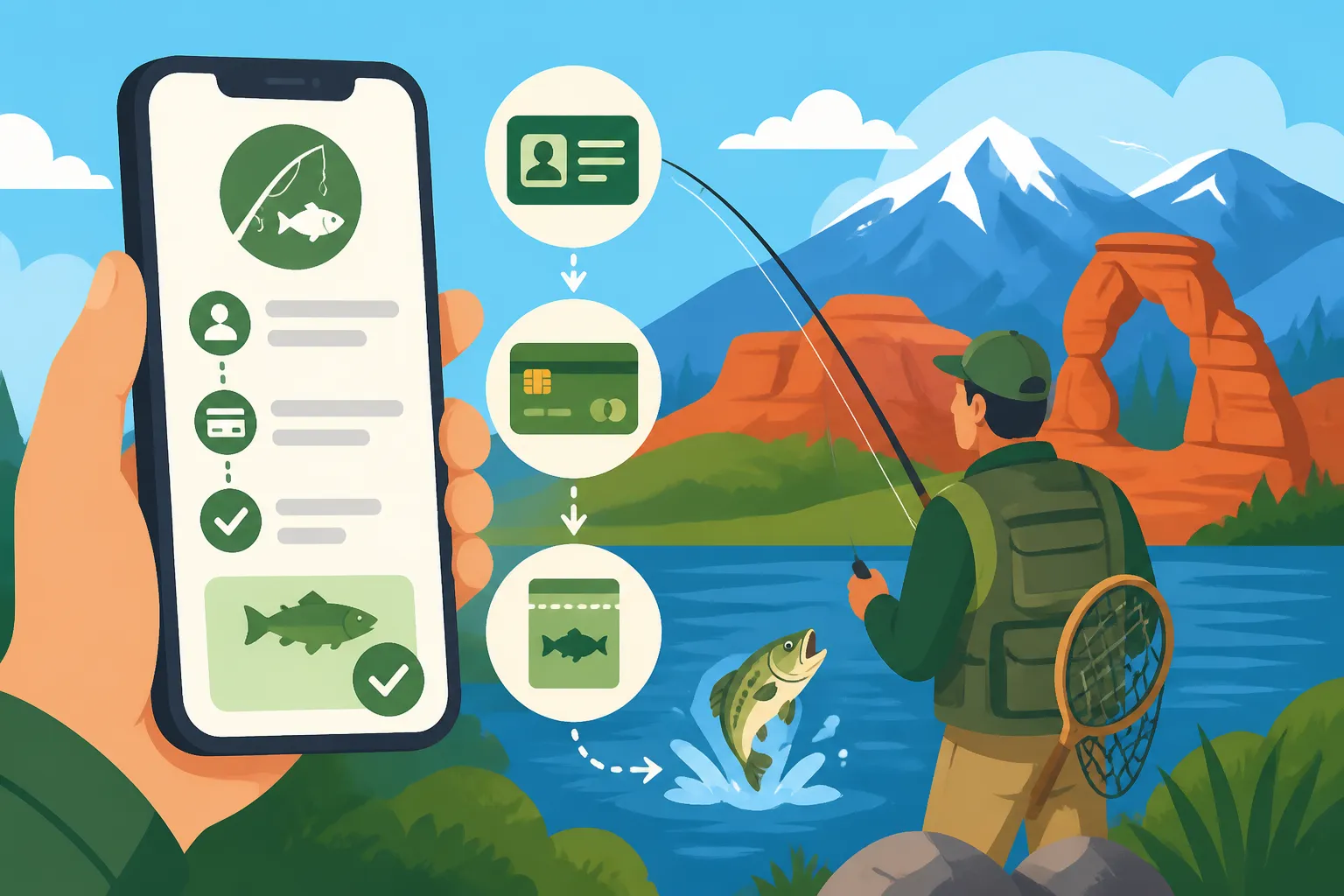
Before you can select a license, you'll need to either log in to an existing DWR account or create a new one. This account acts as your personal angler profile, storing your license history and demographic information.
If you're a returning angler, simply enter your username and password. If you've forgotten them, there are typically "forgot username" and "forgot password" links to guide you through recovery. Don't stress if it takes a moment; these things happen!
For new users, you’ll be prompted to create an account. This usually involves providing basic personal details such as your name, date of birth, address, and contact information. You'll also likely need to create a unique username and password. Ensure all information is accurate and matches your official identification, as this will be critical for determining your residency status and eligibility for certain licenses. This initial setup is crucial, as it lays the groundwork for all future purchases and renewals. Once your account is set up, you'll have a permanent record, which makes future license purchases or even looking up your license history a breeze. Think of it as your digital tackle box for all your licensing needs.
Selecting Your License Type
This is where you choose the specific fishing license that fits your needs. Utah offers a variety of options, so it's important to select the correct one. Here’s a quick overview of what you might encounter:
- Annual Fishing License: This is the most common option for resident anglers and provides fishing privileges for a full year from the date of purchase, or sometimes through the calendar year depending on when you buy. Many opt for this for its convenience. You can find detailed information on the Utah Fishing License Guide.
- Combination Hunting and Fishing License: For those who enjoy both pursuits, a combo license can often be a more cost-effective choice than buying two separate licenses. This often aligns with the duration of an annual license. If you're weighing your options, exploring the benefits of a is a smart move.
- Short-Term Licenses: Utah provides options like a Utah 3-Day and 7-Day Fishing License Options, perfect for visitors or locals who only plan a quick trip or two. These are great for vacations or trying fishing for the first time without committing to an annual fee.
- Youth Licenses: Generally, kids under 12 don't need a license, but there are specific Utah Youth Fishing License Rules for those aged 12-17. It's always a good idea to check the current regulations as age requirements can shift slightly.
- Non-Resident Licenses: If you’re visiting from out of state, you’ll need a Utah Nonresident Fishing License Cost, which typically differs from resident pricing.
- Specialty Licenses/Discounts: The DWR also offers licenses with discounts or exemptions for specific groups, such as the Utah Senior Fishing License Discount or the Utah Disabled Veteran Fishing License. These usually require verification of eligibility, so be prepared to provide supporting documentation if prompted.
The website will clearly display the different license types available based on your age and residency status. It's crucial to read the descriptions carefully to ensure you select the license that covers your planned activities and duration. Don't rush this step; picking the wrong license could lead to issues down the line.
| License Type | Eligibility | Typical Duration | Average Cost Range (Resident) | Average Cost Range (Non-Resident) | Notes |
|---|---|---|---|---|---|
| Annual Fishing License | Residents 18-64 | 1 Year | $34-40 | $79-85 | Most popular option for regular anglers. |
| Annual Combination License | Residents 18-64 | 1 Year | $45-50 | $90-100 | Includes both hunting and fishing privileges. |
| Youth Fishing License | Residents/Non-Residents 12-17 | 1 Year | $5-10 | $15-20 | Required for youth in this age bracket. |
| 3-Day Fishing License | All | 3 Consecutive Days | $20-25 | $30-35 | Good for short trips, ideal for tourists. |
| 7-Day Fishing License | All | 7 Consecutive Days | $30-35 | $45-50 | More flexibility for slightly longer visits. |
| Senior Fishing License | Residents 65+ | 1 Year | $20-25 | N/A | Discounted for Utah residents meeting age criteria. |
| Disabled Veteran Fishing License | Qualifying Veterans | 1 Year | Free | N/A | Significant discount or free for eligible veterans. |
Note: Prices are approximate and subject to change. Always verify current costs on the official DWR website during your purchase.
What Information and Documentation You’ll Need
Once you’ve decided on your license type, the system will ask for specific information to complete the purchase. This isn't just bureaucratic red tape; it's essential for verifying your identity, residency, and eligibility for any special programs. Having everything ready before you start will make the process much smoother.
Personal Details and Residency Verification
When buying a Utah fishing license, accurate personal details are paramount. You’ll be asked for your full legal name, date of birth, and current address. The DWR uses this information to confirm your identity and, critically, your residency status. For example, to qualify for the more affordable Utah Resident Fishing License Cost, you generally need to have lived in Utah for a specified period, often 60 consecutive days, and provide proof like a Utah driver's license or state ID. If you're an out-of-state college student, there are specific rules about whether you can qualify as a resident angler. The system is designed to verify these details, so make sure what you input matches your official documents precisely. Discrepancies can cause your purchase to be flagged for review, delaying your ability to hit the water. Having your driver's license or state ID handy is always a good idea.
Special Licenses and Discounts: Proving Your Eligibility
If you're applying for a special license or a discounted rate, such as the Utah Senior Fishing License Discount, the Utah Disabled Veteran Fishing License, or a license for foster children, you'll need to provide additional proof of eligibility. For seniors, your date of birth, as entered in your DWR account, will usually automatically qualify you if you meet the age requirements for a Utah Fishing License Age Requirements. For disabled veterans, this might involve uploading documents that confirm your service-connected disability status, often a letter from the Department of Veterans Affairs. It's always best to gather these documents before you start the online process, so you're not scrambling when prompted. The DWR website will clearly outline what specific documentation is required for each special license type. Be patient during this step; verifying these details ensures that the system is fair and that benefits go to those who truly qualify.
Payment, Confirmation, and What Happens Next
You're almost there! Once your details are in and your license type is selected, the final steps involve payment and receiving your digital license. This is often the quickest part of the process, but understanding what to expect can prevent any post-purchase worries.
Secure Payment Processing
The Utah DWR's online system uses secure payment gateways to protect your financial information. You'll typically have the option to pay with major credit or debit cards, such as Visa, MasterCard, Discover, and American Express. After entering your card details, the system will often include a small processing fee. This is a common practice for online transactions and covers the administrative costs associated with processing your payment. It's a minor addition to the Utah Fishing License Processing Fee for Credit Cards. Before you finalize the payment, always take a moment to review your order summary: confirm the license type, the cost, and that all your personal information is correct. Once you hit 'submit,' the payment is processed, and you should receive an immediate on-screen confirmation. If your payment is declined, check your card details and ensure you have sufficient funds or contact your bank if you suspect an issue.
Receiving and Storing Your Digital License
As soon as your payment is successfully processed, you'll typically receive an immediate on-screen confirmation that includes your temporary license number and details. Shortly after, an official email will arrive, usually containing a printable PDF of your license and often a link to access it digitally through your DWR account. This email is important, so make sure it doesn’t get sent to your spam folder! The Utah DWR recognizes digital licenses, so you can often simply show it on your smartphone. Learning How to Store a Utah Fishing License on Your Phone is super convenient. You can save the PDF to your phone’s files, take a screenshot, or use the DWR's mobile app (if available) to store it. Many anglers find it helpful to print a physical copy as a backup, especially if they plan to fish in remote areas with no cell service. The email will also clearly state How Long Does a Utah Fishing License Last? and When Does a Utah Annual Fishing License Expire?. Keep this information handy, as it will be useful when it comes time for your Utah Fishing License Renewal Guide.
What to Do If You Encounter Issues
Even with the best planning, sometimes things go awry. If your payment fails, double-check your card details and billing address. A common mistake is a mismatch between the address on file with your bank and the one you entered. If the website freezes or gives you an error message, try refreshing the page or clearing your browser's cache and cookies. Sometimes, simply trying again from a different browser (like Chrome, Firefox, or Safari) can resolve the problem. If you don't receive your confirmation email or digital license within a few minutes, first check your spam or junk folder. If it's still missing, log back into your DWR account, as your license information should be accessible there. As a last resort, don't hesitate to contact the Utah DWR's customer service or licensing department directly. They are there to help and can often resolve issues quickly over the phone or via email. Keep a record of your transaction details, including any confirmation numbers, as this will expedite the support process.
Troubleshooting Common Online Purchase Problems
It’s always a bummer when you're hyped up to get your license and hit the water, only to be met with technical difficulties. Trust me, you're not alone. Many anglers run into similar issues, and usually, there’s a straightforward fix. Let’s tackle some of the most common tech snags you might encounter.
Technical Glitches and Browser Issues
Picture this: you're halfway through entering your details, and suddenly the page freezes, or you get a vague error message that makes no sense. This can be incredibly frustrating. Often, these "technical glitches" are related to your web browser or internet connection rather than the DWR website itself.
- Browser Compatibility: The DWR site is designed to work across various browsers, but sometimes an outdated browser version or conflicting extensions can cause problems. Try using a different browser (e.g., if you're on Chrome, switch to Firefox or Edge). Make sure your browser is updated to its latest version.
- Clear Cache and Cookies: Your browser stores temporary files (cache) and site data (cookies) to speed up loading times. However, corrupted or old data can interfere with website functionality. Clearing your browser's cache and cookies can often resolve weird loading issues or form submission problems. You can usually find this option in your browser's settings or privacy section.
- Internet Connection: A slow or unstable internet connection can lead to timeouts or incomplete form submissions. Ensure you have a reliable connection. If you're on Wi-Fi, try moving closer to your router or restarting it. If you're using mobile data, check your signal strength.
- Pop-up Blockers: Some DWR confirmations or additional windows might appear as pop-ups. Ensure your browser's pop-up blocker is temporarily disabled for the DWR site, or set it to allow pop-ups from that specific domain.
By systematically trying these steps, you can often bypass those annoying technical roadblocks and get back to the task of securing your fishing license.
Payment Failures and Declined Transactions
This is perhaps one of the most disheartening issues – you've done everything right, clicked 'purchase,' and then… "Payment Declined." It feels like the universe is conspiring against your fishing plans! However, most payment failures stem from a few common issues, not necessarily something wrong with your bank account.
- Incorrect Card Information: The most frequent culprit is a simple typo in your card number, expiration date, or CVV code. Double-check every digit.
- Billing Address Mismatch: For security reasons, payment systems often verify that the billing address you entered matches the address associated with your credit card. Even minor differences (e.g., "Street" vs. "St.") can cause a decline. Ensure your DWR account address and the billing address for your card are identical.
- Insufficient Funds or Credit Limit: While less common, sometimes you might genuinely be hitting your daily spending limit or not have enough funds in your debit account. Check with your bank or credit card company if you suspect this is the case.
- Fraud Protection: Banks often have automated fraud detection systems. If you're making a purchase online, especially from a website you haven't used before, or for a slightly larger amount than usual, your bank might flag it as suspicious and decline the transaction as a protective measure. A quick call to your bank's customer service can often clear this up, and they can usually authorize the transaction immediately.
- Expired Card: It sounds obvious, but in the rush, sometimes we try to use an expired credit card. Verify your card's expiration date.
If you continue to experience payment issues after checking these points, it's best to contact your bank or credit card provider directly. They can provide specific reasons for the decline and help you resolve it. In the meantime, you could try using a different payment method if available.
Beyond the Purchase: Using and Renewing Your License
You've successfully navigated the online purchase process – congratulations! But getting the license is just the first step. Knowing how to correctly display it and understanding its renewal cycle is just as important as the purchase itself. This ensures you're always compliant and ready for your next adventure.
Digital vs. Printed License: What to Carry
One of the great advantages of purchasing online is the flexibility it offers in how you carry your license. Utah DWR is pretty flexible here. When you complete your online purchase, you'll typically get an email with a printable PDF copy of your license. You can print this out and keep a physical copy in your wallet or tackle box – a reliable option, especially in areas with spotty cell service.
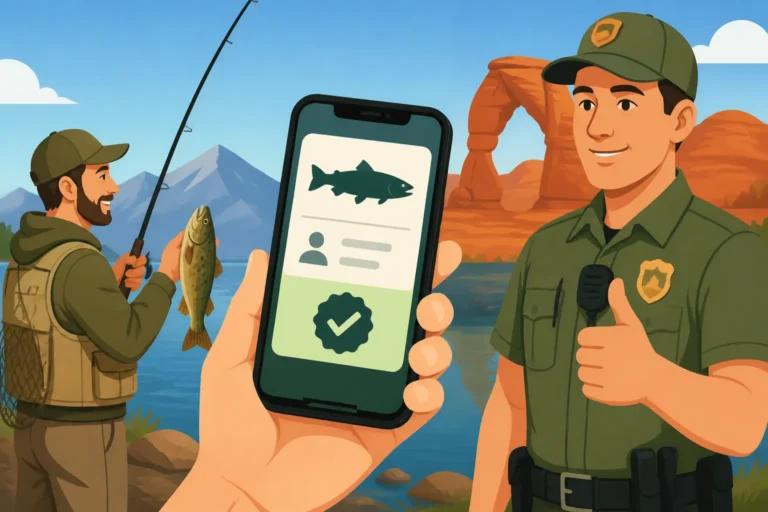
However, many anglers, myself included, love the convenience of a digital license. You can simply save the PDF to your smartphone or take a clear screenshot of it. This means your license is always with you, as long as your phone is charged. When a wildlife officer asks to see your license, simply pulling up the image or PDF on your phone is usually perfectly acceptable. It's a fantastic feature that means one less piece of paper to worry about losing in the water or a gust of wind. The key is that the information must be clearly legible. Make sure your phone screen is clean and bright enough for them to easily read all the details. For more in-depth advice, you might want to read about How to Store a Utah Fishing License on Your Phone. Think about it, how many times have you been out on the water and realized you left your wallet in the truck? With a digital license, that worry is significantly reduced.
Understanding Your License's Expiration and Renewal
A common mistake many anglers make is forgetting when their license expires. Unlike some states that might issue licenses for a calendar year, Utah's annual fishing licenses are generally valid for 365 days from the date of purchase. So, if you bought your license on June 15th, 2024, it would be valid until June 14th, 2025. Always check the expiration date printed on your license. Fishing with an expired license can lead to fines, which is a real damper on any fishing trip.
The good news is that the online system makes renewing your license incredibly easy. When it's time for a Utah Fishing License Renewal Guide, you can simply log back into your DWR account, and the system will usually prompt you to renew your existing license or offer you the option to purchase a new one. Many anglers also appreciate that the DWR often sends email reminders as your license expiration date approaches, giving you a friendly heads-up to avoid any lapse in coverage. Staying on top of your renewal means you're always legally ready to cast a line, whether you're hitting your favorite river or exploring new waters. I always make a note in my calendar when I purchase my license so I have a heads-up a month or so before it's due to expire, giving me plenty of time to hop online and renew.
Disclaimer
Please note that while this guide aims to provide accurate and up-to-date information regarding the Utah fishing license online purchase process, regulations and procedures can change. It is always the angler's responsibility to verify the most current rules and requirements directly with the Utah Division of Wildlife Resources (DWR) before engaging in any fishing activities. This guide is for informational purposes only and should not be considered legal advice.